Forgetting a casino password is inconvenient, but it is usually straightforward to resolve. At CasinoWinoUK English Platform, the account recovery process is designed to help players regain access without creating a second profile or contacting support immediately. This guide explains how to reset a forgotten Wino Casino password, what information may be required, and what to do if the standard recovery email does not arrive.
How the Wino Casino Password Reset Works
The password recovery process normally begins on the Wino Casino login page. Instead of entering an incorrect password repeatedly, select the link labelled “Forgot password?” or a similar recovery option. You should then be asked to enter the email address connected to your casino account.
After submitting the form, Wino Casino may send a password-reset message containing a secure link. Open the email, follow the link, and create a new password. The new password should be unique, difficult to guess, and different from the passwords used for your email, banking, or social-media accounts.
Some recovery pages may request additional information, such as your username, date of birth, or another account identifier. This is intended to confirm that the request comes from the legitimate account holder. Enter details exactly as they appear in your Wino Casino profile;
Step-by-Step Password Recovery
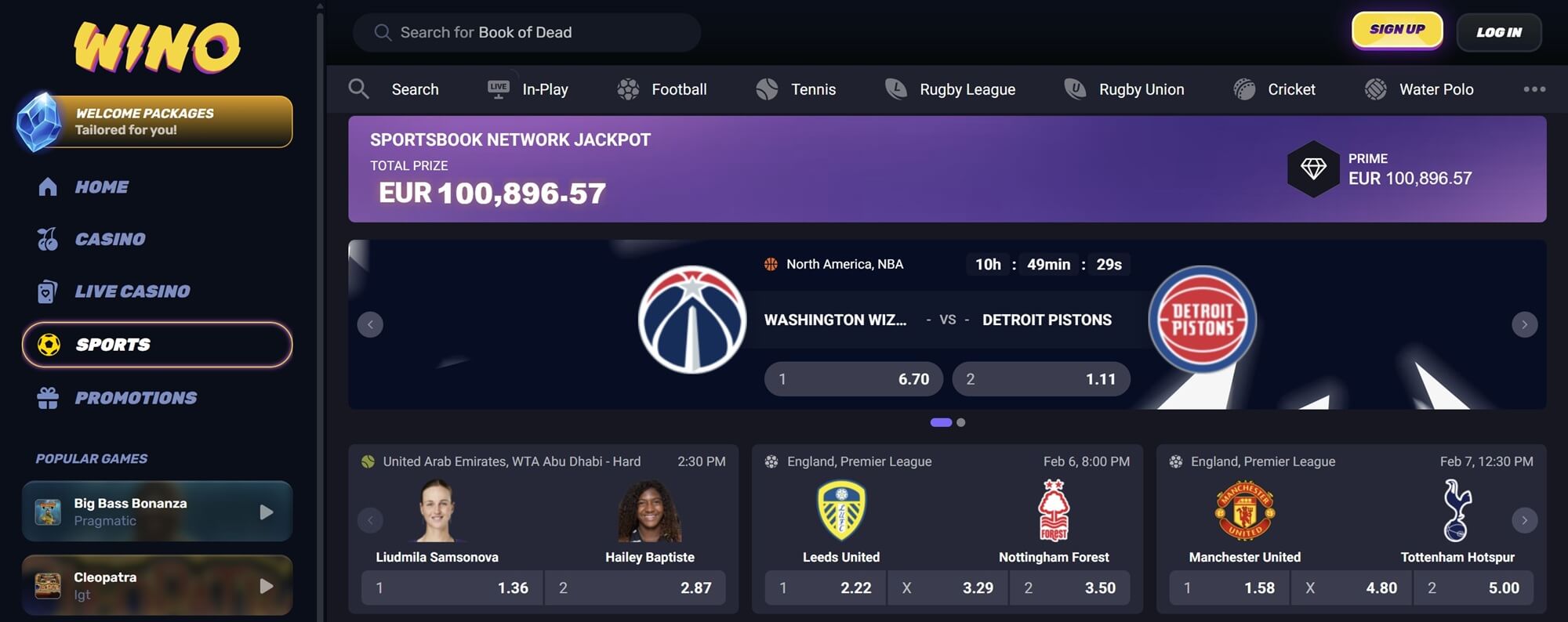
Open the official login page
Use the official Wino Casino website or the verified mobile version. Avoid clicking password-reset links posted in forums, messages, or unofficial advertisements. A genuine recovery page should use a secure connection and display the correct casino domain.
Select the recovery option
Click the forgotten-password link beneath the login fields. If you are using a mobile device, the link may appear below the sign-in button or inside the account menu.
Enter your registered email address
Use the email address originally supplied during registration. If you have several email accounts, check old Wino Casino messages to identify which address is connected to your account.
Check your inbox and spam folders
Password-reset emails may arrive within a few minutes, although delivery can occasionally take longer. Check the spam, junk, promotions, and updates folders. Search for terms such as “Wino Casino,” “password,” or “reset.”
Open the secure reset link
Reset links are generally time-limited and may only work once. If the link has expired, return to the official recovery page and request a new one rather than using an old message.
Create and save a new password
Choose a password containing a mixture of uppercase and lowercase letters, numbers, and special characters. Do not use easily available information such as your name, birthday, address, or favourite sports team.
Common Problems During Recovery
The reset email has not arrived
First, wait several minutes and check every mailbox folder. Confirm that the email address was typed correctly. A single spelling error can prevent delivery. You should also check whether your inbox is full or whether your email provider has blocked automated messages.
Requesting many reset emails in quick succession can create confusion because older links may become invalid. It is better to submit one request, wait, and then use the newest message received.
The email address is no longer accessible
If you cannot access the email account connected to Wino Casino, do not open a new casino account to solve the problem. Contact official customer support and explain that you need to recover access to the registered email address. Support may ask for identity or account verification before changing contact details.
The reset link does not work
A link may fail if it has expired, has already been used, or was copied incorrectly. Try opening it directly from the original email. If that does not work, request another link using the official website. Updating your browser or trying a different supported browser may also help.
The account appears locked
Several unsuccessful login attempts can trigger a temporary security restriction. Repeatedly trying different passwords may extend the problem. Allow the restriction to clear if instructed, then use the password-reset procedure. If access remains blocked, contact Wino Casino support through an official channel.
Questions and Answers
How long does a Wino Casino reset link remain valid?
The exact validity period depends on the security settings of the platform. Treat the link as temporary and use it as soon as possible; If it is rejected, request a new one instead of repeatedly refreshing the old page.
Can I reset my password from a mobile phone?
Yes, password recovery is generally possible through a mobile browser and, where available, the official Wino Casino application. Use a private connection and avoid resetting your password on a shared or public device.
What should I do if I forgot both my username and password?
Search your email history for registration confirmations, deposit notifications, or promotional messages from Wino Casino. These may reveal your username or registered email address. If you still cannot identify the account, contact support and provide the requested verification details.
Will resetting my password affect my balance?
A normal password reset should not affect your balance, bonuses, transaction history, or account status. It only changes the credential used to sign in. However, security checks may temporarily restrict withdrawals until the account is confirmed.
Can customer support tell me my old password?
Reputable casino operators should not be able to view your existing password in readable form. Support can help you create a new password or send an approved recovery link, but they should never ask you to disclose your current password.
Security Advice for UK Players
Account recovery is also an opportunity to improve your security. Once access has been restored, review your personal details, recent login activity, payment methods, and account history. If anything looks unfamiliar, contact support immediately and avoid making further deposits until the issue has been investigated.
- Use a unique password for Wino Casino.
- Never share your password by email, live chat, or telephone.
- Do not save credentials on public or shared computers.
- Log out after using a shared device.
- Keep your registered email account protected with its own strong password.
- Enable multi-factor authentication on your email account when available;
- Use only official Wino Casino contact channels.
UK players should also ensure that their casino account information is accurate. Details such as name, address, and date of birth may be needed for age and identity verification. If these details no longer match your documents, correcting the profile through official support can prevent delays with withdrawals later.
When to Contact Wino Casino Support
Support is appropriate when the recovery form rejects your email address, the reset message never arrives after repeated attempts, your email account is inaccessible, or your profile appears suspended. Explain the problem clearly and provide your username or registered email address only through the verified support channel.
Customer-service agents may request identity documents or other information. Follow the instructions displayed inside the official account area or on the verified website. Do not send sensitive documents to an address found in an unsolicited message. Never disclose your full payment-card number, card security code, or password.
For faster assistance, include useful technical information such as the device and browser you used, the approximate time of the failed attempt, and any error message shown on the screen. Avoid sending multiple identical requests because this can make the case harder to track.
Creating a Safer New Password
A strong password should be long enough to resist guessing and should not contain predictable personal information. A memorable passphrase made from several unrelated words can be effective when combined with numbers and symbols. Do not reuse a password from another casino, betting site, email service, or financial account.
A password manager can generate and store a different password for each service. If you use one, protect it with a strong master password and keep recovery information secure. Do not store casino passwords in unprotected notes or send them to yourself through ordinary messages.
After changing the password, sign out of other sessions if Wino Casino provides that option. If you suspect that someone else accessed your account, change the password for your email account as well, because control of the email address may allow another person to reset the casino login again.
Final Checklist
- Visit the official Wino Casino login page.
- Choose the forgotten-password option.
- Enter the registered email address accurately.
- Check inbox, spam, promotions, and junk folders.
- Use the newest reset link promptly.
- Create a unique and difficult-to-guess password.
- Review account activity after signing in.
- Contact verified support if recovery fails.
Resetting a forgotten Wino Casino password should normally take only a few minutes, provided that you can access the registered email account. The safest approach is to use the official recovery page, avoid repeated guesses, and keep all login information private. If the standard process does not work, verified customer support can help restore access after completing the necessary security checks.